Use in AI tools
Run the requirements interview in your AI assistant.
Supported AI assistants:
-
Claude Code, with the Timefold PRD plugin.
-
Any MCP client that supports remote servers with OAuth, such as Claude on the web or the desktop app, with the MCP connector.
How it differs from the web interface
In an AI assistant, the interview runs in your assistant’s own model. The connector stores the interview and the PRD at Timefold, so you keep the same checklist, PRD reference, and Submit for build option. Before it submits, your assistant asks you to confirm your contact email. If your request already names the email and says you confirmed it, the assistant submits right away.
Data handling differs from the web interface. Your assistant’s provider governs the conversation, and Timefold stores what the assistant sends, plus the email address of your Timefold user. The assistant’s first reply links the Timefold Privacy Policy and the PRD Assistant terms of use. See the terms of use.
Work from your documents
Provide your assistant with any files, such as planning specs, that you want it to have access to. The assistant reads them itself and sends only what it learned into the interview, so the web interface’s upload limits don’t apply. Timefold doesn’t store the file, so Submit for build doesn’t attach it.
Timefold PRD plugin
Follow the instructions in the plugin README to install the plugin and log in with your Timefold user.
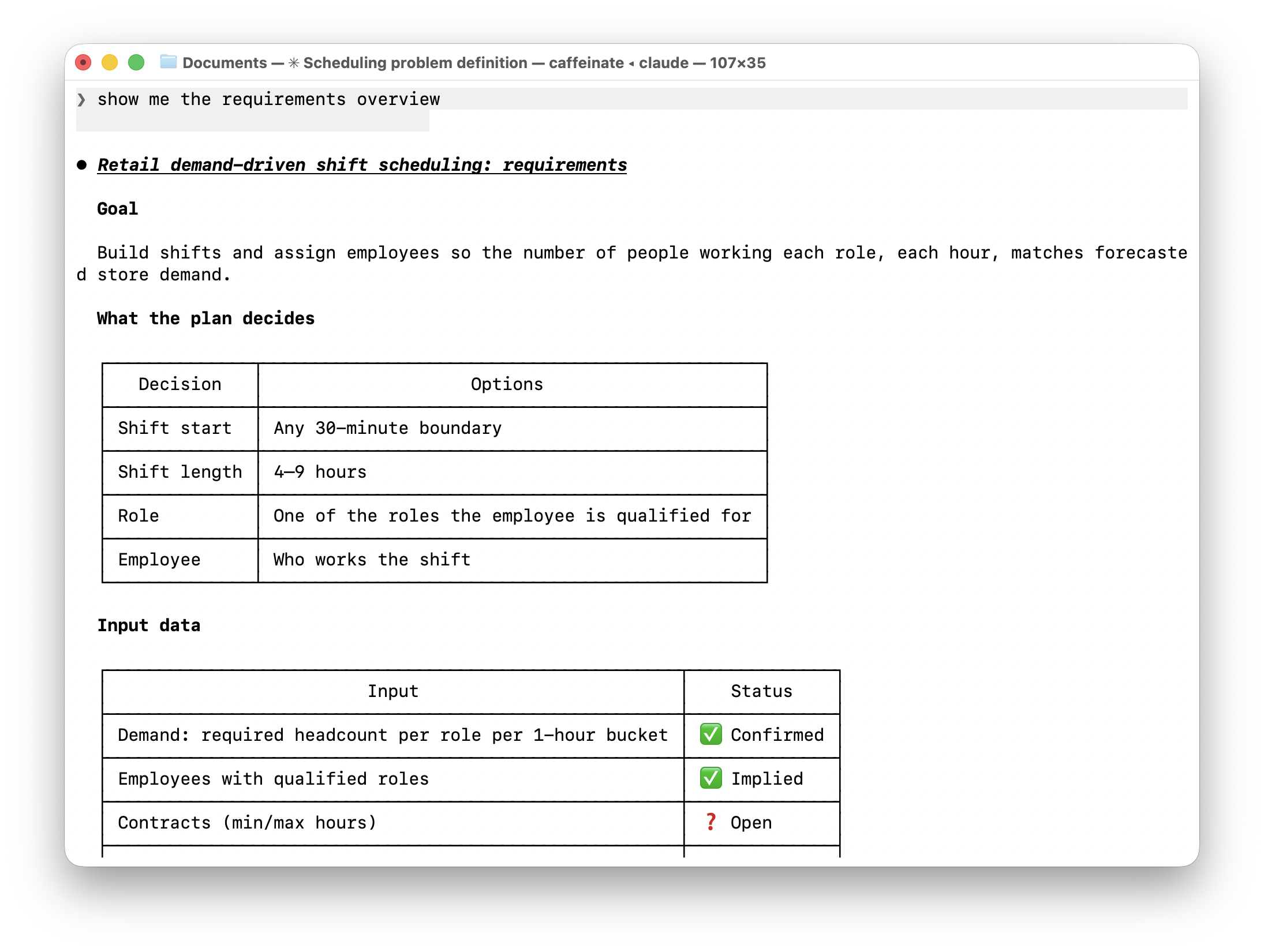
The plugin adds a requirements pane beside the conversation.
It shows the coverage percentage, the #PRD- reference, and the status of each topic, with Talk about this, Download report, and Submit for build.
MCP connector
The PRD Assistant is available as a remote MCP server:
https://prd.timefold.ai/mcpFollow the instructions in your AI assistant to add a custom connector with this address. The first time you connect, log in with your Timefold user.
Suggested prompts
Ask your assistant in your own words. These prompts start or continue the interview:
-
"Help me define my scheduling problem."
-
"I need to plan routes for our service technicians. Can you help me write the requirements?"
-
"Here’s our current planning spec. Use it to start my requirements."
-
"How far along are my requirements? What’s still open?"
-
"Show me the requirements overview."
-
"Let’s talk about the hard constraints next."
-
"Save the PRD so far."
-
"Submit my requirements to Timefold’s solutions team."