Introduction
Describe what you need to plan, schedule, or optimize, and turn your answers into a clear requirements document.
The PRD Assistant is for business users with a scheduling, routing, or assignment problem who want an optimization model to solve it, and for model developers who build those models. You describe the problem in your own business’s words, or start from a document you already have. The assistant interviews you one question at a time until a ten-point requirements checklist is covered. It then writes a product requirements document (PRD) in the structure Timefold uses to build optimization models.
The PRD Assistant helps you build a model, but it also helps guide the conversation within your organization to agree on the requirements. It gives everyone a common language to talk about scheduling problems: what you plan, the rules a plan must follow, and the goals that make one plan better than another.
Open it at https://prd.timefold.ai.
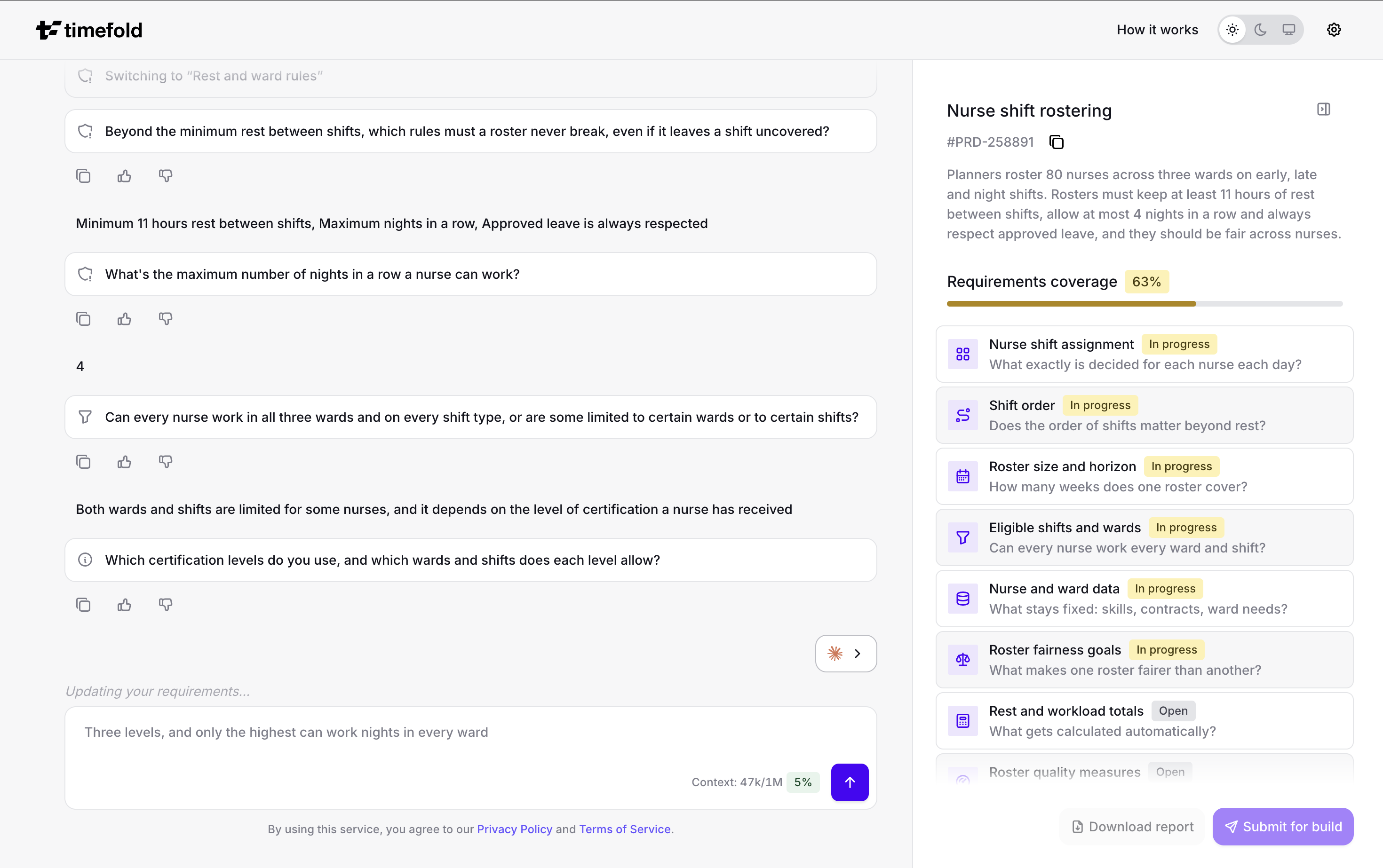
What you get
The PRD describes what you plan, the rules a plan must follow, the goals that make one plan better than another, the scale of your problem, and the data that goes in and comes out. You can download the PRD at any point in the interview, or submit it to Timefold’s solutions team to have a model built.
A PRD is a starting point for a conversation with Timefold, not an offer or a quote. See the terms of use.
The questions, suggestions, and PRD are AI-generated. Review the PRD before you rely on it.
Two ways to use it
- Web interface
-
Run the interview in your browser at https://prd.timefold.ai.
- AI assistant
-
Run the same interview in an AI assistant, with the Timefold PRD plugin for Claude Code or the MCP connector. See Use in AI tools.
Learn more
-
Custom optimization API explains how Timefold turns requirements into a model.
-
Timefold Platform is where Timefold models run.
-
Timefold’s Expert models, such as Field Service Routing, each have their own documentation.