Introduction
The Employee Shift Scheduling model is one of Timefold’s Planning AI models and is available on the Timefold Platform.
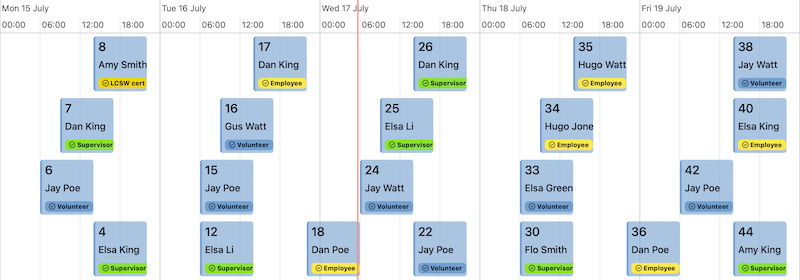
The Employee Shift Scheduling model assigns shifts to employees with the goals of creating schedules that minimize labor costs, ensure proper shift coverage, and treats employees fairly and with respect.
The model runs on the Timefold Platform and the application includes Timefold Enterprise Solver, a scalable optimization engine that can solve complex constraint satisfaction problems.
The Employee Shift Scheduling model includes constraints for:
-
Matching employee availability, skills, and preferences with shifts.
-
Complying with labor law and regulations.
-
Scheduling priority shifts.
-
Managing shift rotations and patterns.
-
Keeping shift assignments within budget.
To learn more about individual constraints, see the Employee resource constraints and Shift service constraints guides.
Constraints have configurable weights, making them adjustable to meet different business goals and priorities.
The real-time planning API makes plans adaptable when unforeseen events inevitably occur, and the recommendations API can help you figure out which employees to assign to which shifts.
The REST API layer is defined on top of the model and serves as a communication point with the engine to provide a stable interface that allows you to manage the lifecycle of the optimization problem, from submitting the initial dataset to retrieving the final solution.
Introduction for integration & application developers
Backend developers, integration engineers, full-stack developers, and technical consultants implement the model in an application or workflow.
| Concern | Documentation |
|---|---|
How to get a first working solution quickly |
|
Correct API usage |
|
Understanding available constraints and features |
|
Debugging invalid inputs or unexpected results |
|
How the model supports reacting to unexpected events and replanning with the least amount of disruption |
|
Performance tuning |
Introduction for platform & enterprise architects
Enterprise architects, solution architects, security architects, IT governance leads, and platform owners are responsible for system integration, compliance, and long-term maintainability.
| Concern | Documentation |
|---|---|
How the model integrates into existing enterprise systems |
|
API contracts, and long-term stability |
|
Authentication, authorization, and request integrity |
|
Auditability of configuration changes |
|
Risk profile, product security, data security and general trust |
Introduction for product, business & decision makers
Product managers, project managers, business analysts, operations managers, and executives evaluate value, scope, and speed of delivery.
| Concern | Documentation |
|---|---|
What business problems the model solves |
|
How results can be evaluated and explained to stakeholders |
Interpreting dataset results, Validating an optimized plan with Explainable AI |
How the model handles labor law compliance |
|
How the model handles employee well-being |
|
How the model can support strategic decision making |
Uncovering inefficiencies in operational planning, Balancing different optimization goals |
Following up on new features |
|
Whether the model can evolve with changing business needs |
Next
-
See the full API spec or try the online API.
-
Learn more about employee shift scheduling from our YouTube playlist.
| The maximum number of shifts in a dataset is limited to 400,000 to ensure optimal performance and stability of the model. For larger datasets, please contact Timefold support. |