Model maturity and versioning
This page explains the different maturity levels we have for our Timefold models and what you can expect for each maturity level.
Additionally, it explains how versioning works for Timefold models and the Timefold Platform today, what visibility and controls are available to customers, and how these capabilities help you validate model behavior across environments.
Maturity levels
We assign each model a maturity level. This level is shown on the Platform Homepage and Model Information pages.
We have defined the following maturity levels:
| Maturity level | Description |
|---|---|
Template |
Template models are ready-made starting points that Timefold shares with you. You can customize a template model to fit your specific requirements. |
Experimental |
Experimental models are models that are actively being worked on. You can assess the model’s features and quickly access its capabilities. Experimental models are likely to change a lot. |
Preview |
Models that have been mostly developed, but still need to be tested are labeled Preview. They are offered to early adopters to provide feedback as we refine the features. At this stage some backward incompatible changes can still be introduced. |
Stable |
These models are considered enterprise-ready. They have been developed and released under a given version number. Stability brings guarantees of backward compatibility so you can expect the model to behave consistently with new releases. |
Deprecated |
Models with this label are no longer supported on the platform, and will soon be removed. |
Models typically start as experimental and become stable over time. Template models are different: they’re a starting point for you to customize to your requirements.
Semantic versioning
Timefold applies semantic versioning to both the platform and optimization models with maturity level "Stable":
MAJOR.MINOR.PATCH
For example: v1.15.2
The meaning of each component is:
-
MAJORversion:
May introduce backward-incompatible API changes. The major version is part of the model API URL, which allows customers to run multiple major versions of a model in parallel and migrate gradually. -
MINORversion
Introduces new functionality, performance improvements, or behavioral changes that are intended to remain backward compatible at the API level. -
PATCHversion
Contains bug fixes and hotfixes only. Patch versions do not introduce new features.
| Some changes that are technically backward compatible (for example, new warning types or additional enum values) may still affect downstream business logic. For this reason, version visibility is critical, even when version control is limited. |
Platform version versus model version
It is important to distinguish between platform versions and model versions.
The Timefold Cloud Platform is shared, multi-tenant infrastructure. All tenants are upgraded together, and individual tenants cannot control platform upgrades. For control over versioning of the Platform, see self-hosting the platform.
Timefold models encapsulate domain-specific optimization logic. Model versions can differ between tenants and have a direct impact on optimization outcomes.
This separation ensures that:
-
the platform can move forward continuously for security and reliability;
-
customers can reason about behavioral changes at the model level.
Model version visibility in the UI
Timefold provides transparency into which model version your tenant is running at a given time.
In Manage tenant → Models, you can see:
-
Which models are enabled in your tenant.
-
The major API version of each model.
-
The current minor model version, including build time and commit information and the model’s dependencies (like solver version and SDK version).
Click the "…" at the top right of the models table to customize which columns you want to include e.g. model version and solver version.
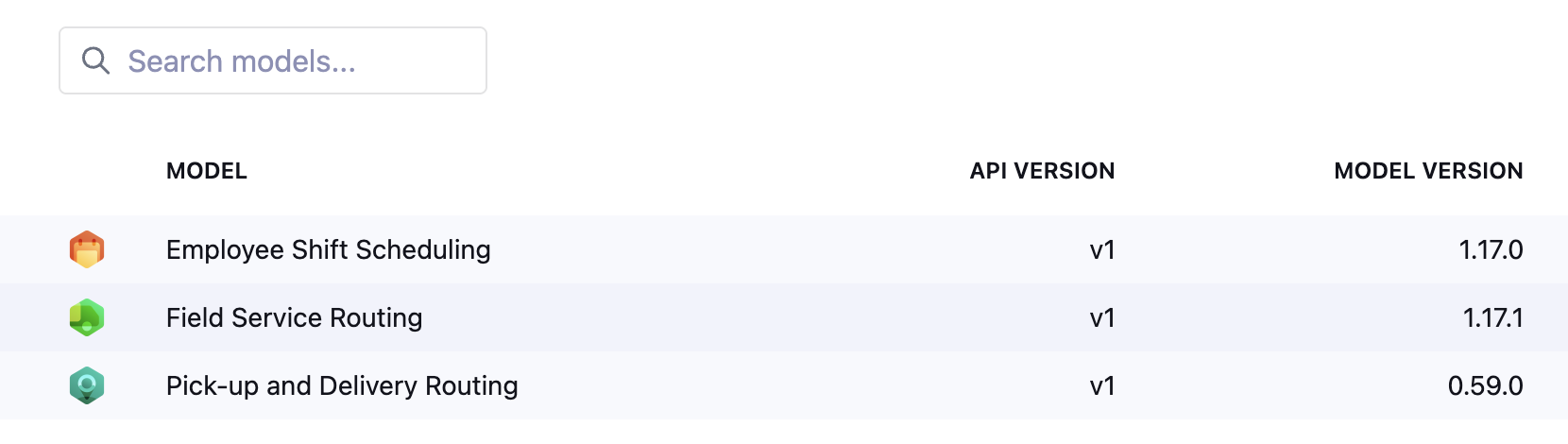
This allows you to:
-
Verify exactly which model version is active in a tenant.
-
Correlate observed behavior with model changelogs.
-
Confirm whether a behavior change coincides with a model upgrade.
We will never automatically upgrade your models to a new major version. By default, however, we do upgrade models to newer minor versions. For more control over minor versions, please contact us.
Model version picker
The model version picker labels each version with its API version, for example v1 or v2, and shows the build version beside it.
The API version corresponds to the major version of the model (see Semantic versioning).
When build versions tie, the newest API version carries the LATEST badge.
A model accepts at most ten parallel versions. From eight versions in use, the picker warns you that the model is close to this limit, so you can remove an old version before you register another one.
Historical model version tracking
For every dataset, Timefold stores the model version that was used at the time the dataset was submitted.
Click the "…" at the top right of the datasets table to customize which columns you want to include e.g. model version and solver version.
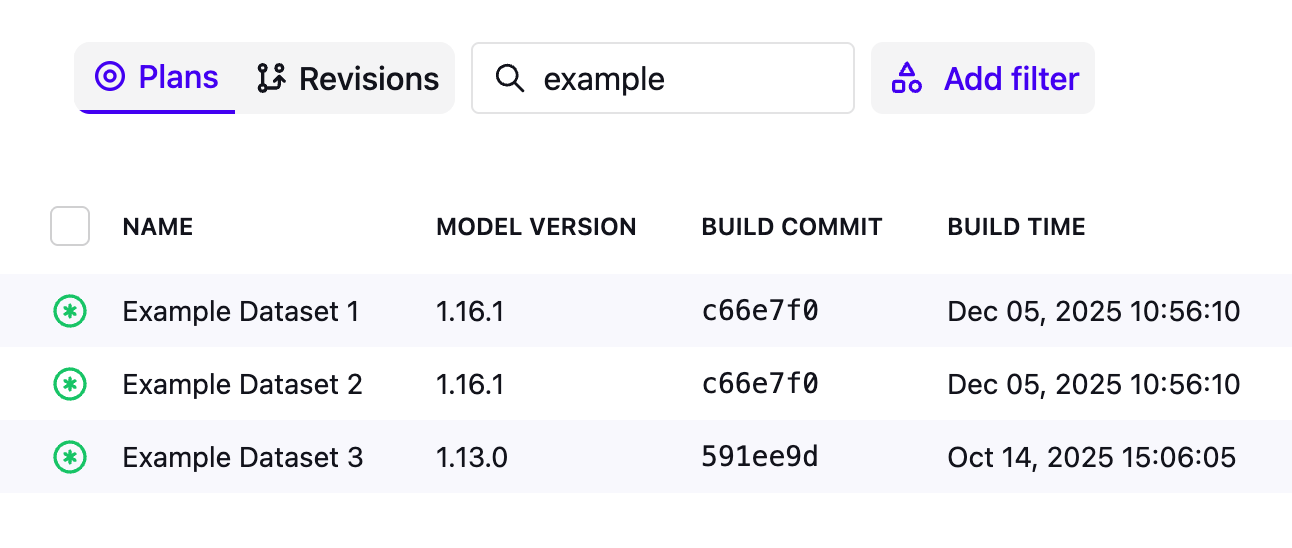
This enables you to:
-
See when your tenant started using a new model version.
-
Identify which datasets were solved with which model version.
-
Compare optimization results across versions over time.
This is particularly useful when:
-
Investigating changes in optimization outcomes after an upgrade.
-
Supporting internal audits or post-incident analysis.
| If you received an unexpected warning or change in behavior, look for the first dataset that shows a new model version number - that is when the upgrade occurred. |
Platform version visibility
In Manage tenant → Details, you can see the current version of the Timefold Cloud Platform.
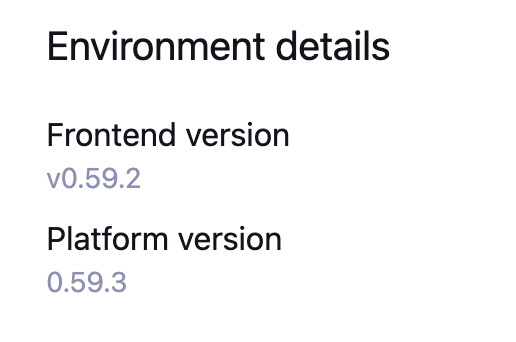
While platform versions are not customer-controlled, visibility helps you:
-
Correlate incidents or behavioral changes with platform releases.
-
Align observations with the public Timefold changelog.
-
Verify the platform state during incident investigations.
| In normal operation, customers should rarely need to concern themselves with the platform version. This information is provided primarily for transparency and diagnostics. |
Following model releases
Timefold publishes model changes in two complementary places:
-
docs.timefold.ai (this site) uses version numbers. This is relevant for self-hosted customers as well, where release dates differ per installation. Each model has a changelog page (accessible from the model’s documentation) listing changes per version.
-
The Timefold Platform changelog at feedback.timefold.ai/changelog uses dates. It reflects when the Timefold Cloud Platform EU was updated and when default model versions changed. Subscribe to receive notifications: use the email subscription or the RSS feed available on the changelog page.
To answer "Did a new model version get deployed to my tenant, and when?", check the model version column in the datasets list: the first dataset using a new version shows when the upgrade happened.
| The model changelogs on this documentation site list changes by version number, not by date. To find the deployment date for a given version, refer to the Timefold Platform changelog. |
Release cadence
Timefold targets a roughly bi-weekly release cadence (for both platform and models), but the exact timing isn’t guaranteed. Releases can happen faster (for example, to ship an urgent security fix) or slower, and may occasionally be skipped entirely.
We run quality checks at multiple levels before each release: automated tests, integration validation, and manual review. Even so, late-discovered bugs, last-minute feature changes, or team availability can all cause a release to slip or be held back. This is intentional: we would rather delay a release than ship something that could affect your optimization results.
This is standard practice for SaaS platforms generally. Coordinating a release involves more than just the code: infrastructure changes, dependency updates, monitoring rollouts, and cross-team readiness all play a role. Keeping control of the release date lets us ensure each version is safe, observable, and reversible before it reaches customers. For an overview of all internal security procedures, see trust.timefold.ai.
| Minor version upgrades are never breaking. Timefold follows semantic versioning (see Semantic versioning), so a minor or patch release won’t break your existing API integrations. |
Automating release notifications
If you want to trigger internal test pipelines or other automation when Timefold deploys a new model version, subscribe to the changelog email or RSS and route it to an internal webhook service. This lets you integrate release notifications into your own tooling without polling the API or relying on a fixed schedule.
Staggered model releases
Timefold supports staggered model releases, which give you control over which minor version of a model runs on each of your tenants. Rather than all tenants always running the latest minor version, you can pin individual tenants to the latest, one version behind, or two versions behind.
For example, if the Employee Scheduling model is at version 1.28.0, you can configure:
-
your staging tenant to run 1.28 and validate the new version;
-
your production tenant to stay on 1.27 until validation is complete.
This lets you adopt new model versions at your own pace, reducing the risk of unexpected behavioral changes in production.
Staggered model releases are not yet fully self-service. Contact us to set up staggered model release configuration for your tenants.
| Want to manage staggered model releases yourself, without involving Timefold? Upvote or follow the feature request on feedback.timefold.ai to help prioritize self-service version control. |
Documentation versioning
When the Platform is running multiple versions of the same model, Timefold exposes versioned model documentation.
This ensures that:
-
Documentation matches the model version you are running.
-
You do not accidentally rely on features introduced in later versions.
-
Validation and troubleshooting are based on the correct behavioral contract.
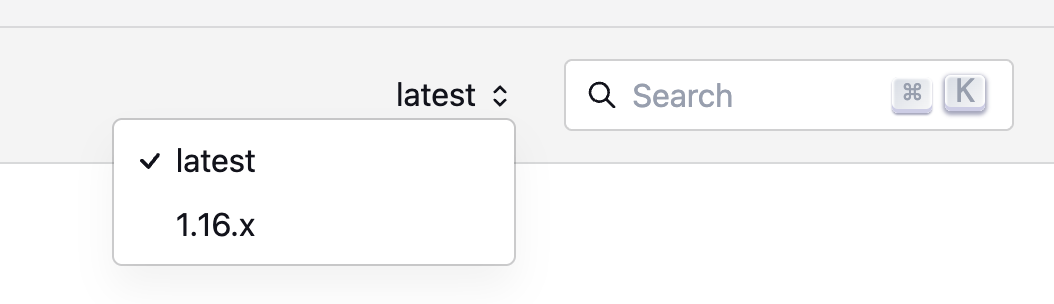
For models where this is supported, you’ll see a dropdown at the top right of the model’s documentation (next to the search bar) to switch to documentation about previous versions.