Model API usage
To interact with the Timefold Model APIs you need to authenticate with a valid API key. In the Timefold Platform you can configure API access and learn about the API specifications.
API keys
See API Keys for how to generate and revoke an API key in the Platform UI, and for which permissions can call which model endpoints.
Common integrations and recommended permissions
Below are common ways customers integrate with the Model APIs and the minimal permissions we recommend for each flow:
-
Data ingestion (ETL/ELT pipelines): Use Selected Models scoped to the destination model and grant Create to POST datasets plus Read to verify ingestion succeeded. Avoid Update/Delete; rely on source-of-truth systems for corrections.
-
Automated solves (schedulers/CI jobs): Grant Create to submit new datasets/runs and Read to poll results. Keep keys model-scoped so a single automation job cannot trigger unrelated models.
-
Dashboards and BI tools: Provision Read only for the models they need to visualize. This prevents dashboard users from mutating datasets while still allowing score analysis retrieval.
-
Operational back-office tools (light editing of metadata): Grant Read and Update for the specific model resources they maintain. Do not include Create/Delete unless the tool must add/remove datasets.
-
Testing or staging sandboxes: Keep the same principle of least privilege but add short expirations; restrict to staging models and only add Delete if the pipeline must routinely purge test data.
Timefold Model API’s
The model API conforms with the OpenAPI standard.
Explore the model API in the Timefold Platform UI
You can explore the model API in Timefold Platform.
-
Log in to app.timefold.ai.
-
Select the model tile.
-
Select OpenAPI Spec.
API endpoints
To understand the API endpoints, select an endpoint to expand it. You will see:
-
Parameters: The parameters required by the API endpoint.
-
Request body: For POST endpoints, you can view example values that are accepted as part of the JSON input and the model schema.
-
Response: The responses the API endpoints will return, example values, and the schema.
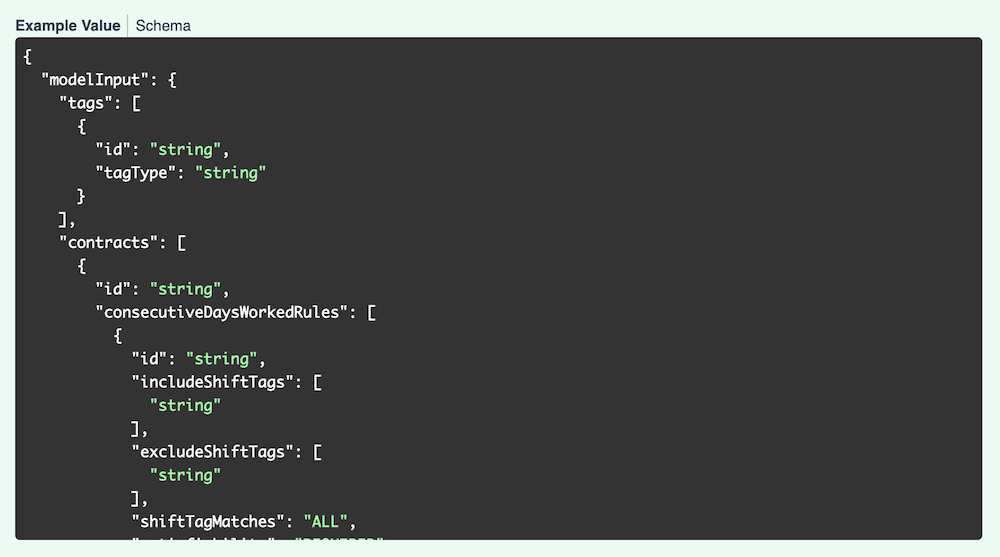
The Example Value tab for each endpoint show an example of the JSON for that endpoint:
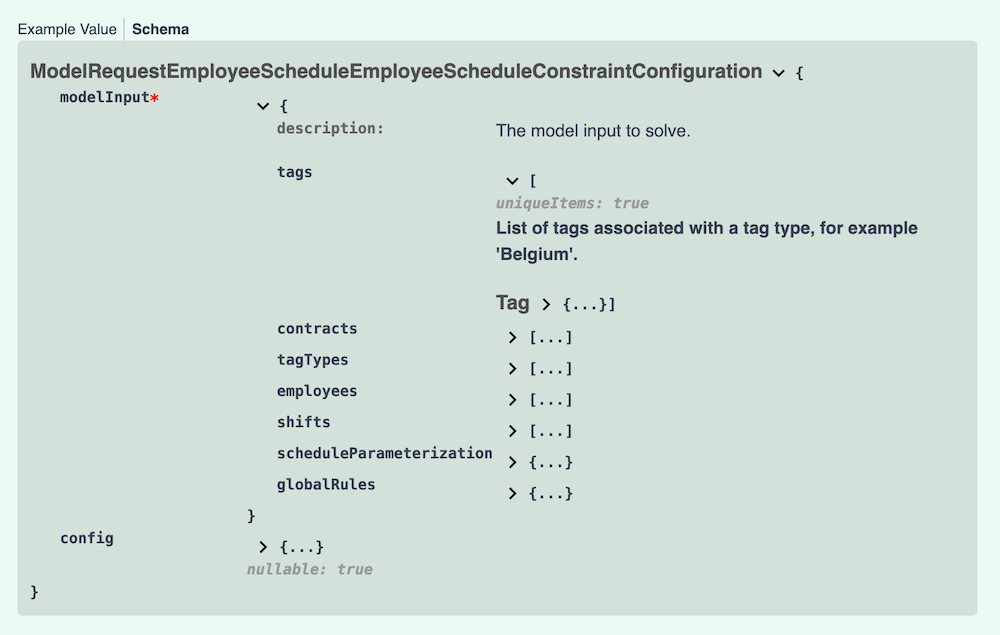
The Schema tab shows the values, their types, and a description. Each field can be expanded to view related information.
Testing the model API
To test the model API in the platform, you first need to authorize.
-
Via the Tenant drop-down in the top right, select Manage tenant.
-
Navigate to the API Keys section.
-
Create or copy an API key with model permissions.
-
Navigate back to the model tile and select OpenAPI Spec.
-
Click Authorize and paste the API key you just copied.
Demo datasets
Demo datasets that demonstrate the functionality are available. To view the list of demo datasets:
-
Expand the
POST /v1/demo-dataendpoint. -
Click Try it out, then click Execute.
You will see the Curl instructions to request the dataset and the request URL.
You will also see the response to the request with the list of available datasets.
To download one of the listed datasets:
-
Expand the
POST /v1/demo-data/{demoDataId}endpoint. -
Click Try it out, enter the name of the dataset, for instance, "BASIC", and click Execute.
In the response body, you will see the dataset. Copy the dataset to use with subsequent endpoints.
You can also use your own dataset to test the functionality.
POST the dataset to request a solution.
The solution can be seen by navigating to the model’s Plans page and selecting the dataset. Alternatively, you can GET the solution from the API by providing the dataset ID from the previous post operation.
Solver statuses
A dataset can be in one of several states:
| Status | Description | API value |
|---|---|---|
A new dataset has been created from a new input dataset or a patch to an existing dataset. |
|
|
The dataset has been validated. |
|
|
The submitted dataset was invalid. |
|
|
The score analysis and KPIs for the dataset have been computed before solving. This can be useful for datasets that already include partial solutions (e.g. employees assigned to shifts, vehicles assigned to visits). |
|
|
The data is in the queue to be solved. |
|
|
The input dataset is being converted into the planning problem and augmented with additional information, such as distance matrix (if applicable). |
|
|
The planning problem is currently being solved. |
|
|
A solution was not found before the run was terminated. |
|
|
Solving has completed and no further solution will be generated. |
|
|
An error has occurred and solving was unsuccessful. |
|
Read more about Dataset lifecycle.
Discovering caller identity
The platform has a GET /api/aboutme endpoint that returns information about the API key behind the current request: the API key name, the tenant it belongs to (with plan), and the access permissions granted to it.
This endpoint is useful when an integration needs to validate that an API key is still active or discover which tenant an API key is associated with.
Authenticate by passing the API key in the X-API-KEY header.
curl https://app.timefold.ai/api/aboutme \
  -H "X-API-KEY: <your-api-key>"
A successful response returns a JSON document describing the caller and their tenants:
{
  "name": "my-api-key",
  "email": null,
  "tenants": [
    {
      "id": "11111111-2222-3333-4444-555555555555",
      "name": "Acme Corp",
      "role": null,
      "plan": "ENTERPRISE",
      "group": "default"
    }
  ],
  "role": null,
  "selfRegistered": false,
  "permissions": [
    {
      "resource": "MODEL",
      "operations": ["CREATE", "READ", "UPDATE", "DELETE"]
    },
    {
      "resource": "EXPERIMENT",
      "operations": ["CREATE", "READ", "UPDATE", "DELETE"]
    }
  ]
}
The endpoint returns 401 Unauthorized when no X-API-KEY header is supplied or the supplied API key is unknown or expired.
Dealing with large datasets
Timefold is designed to support large-scale datasets. To help you work efficiently with substantial input files, the platform and individual models enforce certain limits and provide mechanisms to optimize data transfer.
Platform-level payload limits
The Timefold APIs enforce global payload size limits:
-
Up to 100 MB when compressed (gzip)
-
Up to 2 GB when uncompressed
We strongly recommend compressing your request payload. To do this, send your data as binary with gzip compression and include the header Content-Encoding: gzip. Likewise, if you set Accept-Encoding: gzip the API will return compressed responses when possible.
|
Model-level limits
In addition to the platform-level limits, some models enforce their own dataset restrictions to ensure optimal performance and system stability.
Working with large-scale datasets
We are committed to supporting real-world, enterprise-scale planning problems. If your dataset exceeds either the platform payload limit or a model-specific limit, or if you anticipate scaling beyond these thresholds, please contact Timefold Support. We are happy to discuss your use case and explore options to support larger workloads or provide tailored solutions.
Going further with the Platform API
The model APIs described on this page cover solve operations for a specific model. The Platform API extends this with management capabilities that operate across the whole platform: automating tenant and member management, querying audit logs, managing secrets, provisioning API keys, and more. The Platform API is useful when you need to build integrations or tooling that go beyond submitting and retrieving optimization runs.