Personal access tokens
Personal Access Tokens (PATs) let you authenticate with the Timefold Platform API. This page describes how to generate and manage PATs from the platform UI.
See Platform API usage for how to use a PAT to call the Platform API.
Generating a personal access token
|
This guide describes functionality that is currently available as a preview feature. If you’d like early access to this feature, please contact us. |
-
Click your user menu at the top right of the platform.
-
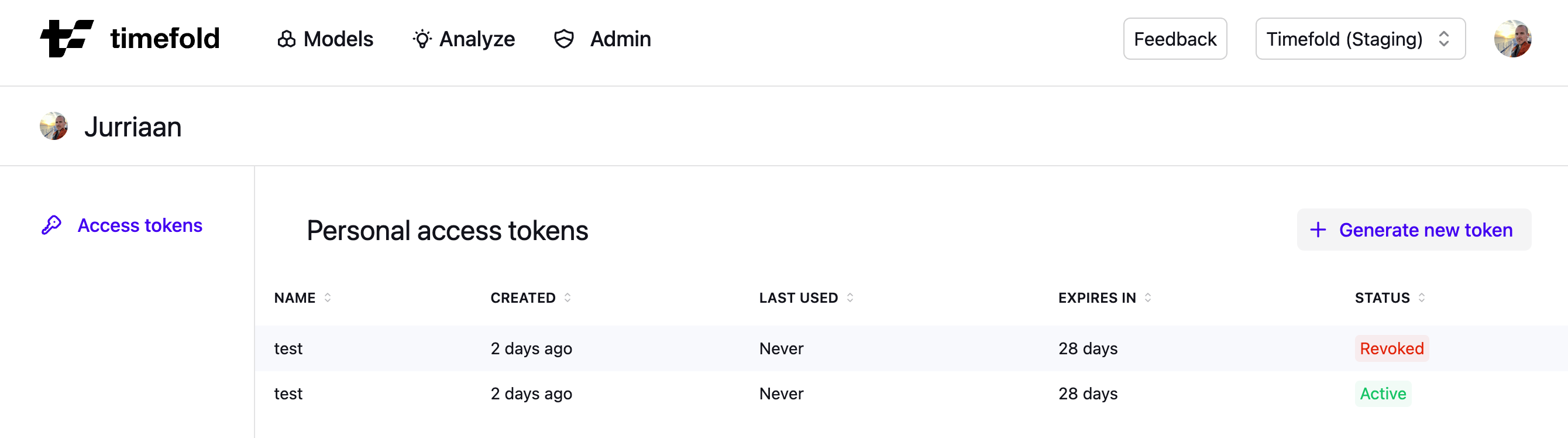
Select Access tokens.
-
Click Generate new token (top right of the token list).
-
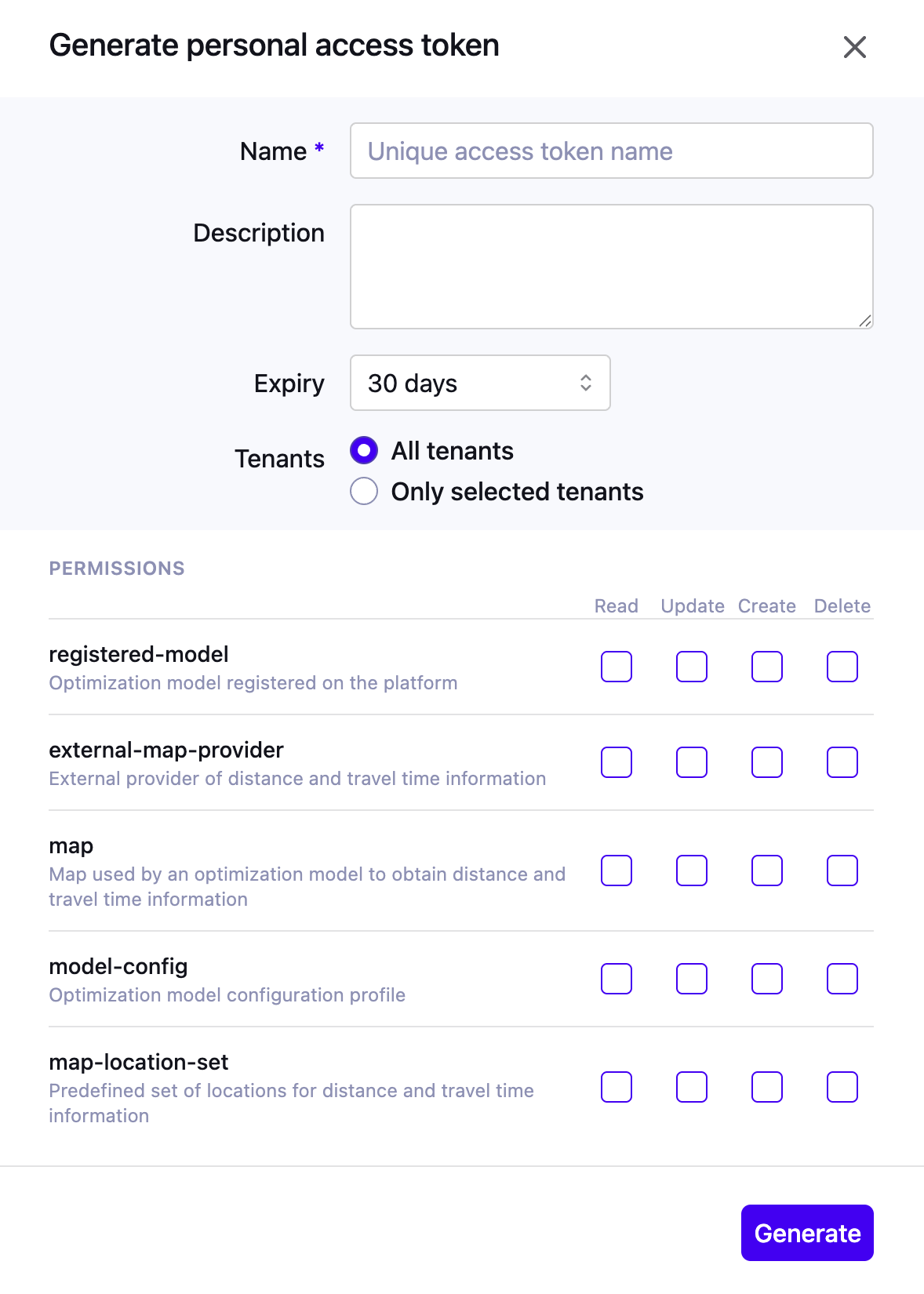
Fill in the token details:
-
Name (required): a unique label to identify the token.
-
Description (optional): free-text notes about the token’s purpose.
-
Expires: select an expiry duration from the dropdown. The default is 30 days; the exact expiry date is shown.
-
Tenants: choose All tenants or Only selected tenants. Selecting the latter reveals a checklist of available tenants.
-
-
Select the permissions required for your use case.
-
Click Generate.
After clicking Generate, a modal displays the token value exactly once.
| Copy your token immediately. It won’t be shown again after you close this dialog. A read-only field displays the token string, with a copy-to-clipboard button. |
Preview status
|
This guide describes functionality that is currently available as a preview feature. If you’d like early access to this feature, please contact us. |
Managing tokens
You can find all tokens belonging to your user account at User menu → Access tokens. The list shows each token’s name, creation date, last used date, expiry, and status.
Tokens are personal and aren’t shared across users. To revoke a token, use the row-level actions in the token list.
Expired and revoked tokens are removed from the token list 30 days after they expire or are revoked. Active tokens are never removed.
Token permissions
Configure permissions using a matrix of resource types and access levels. All permissions are unchecked by default; select only what your use case requires.
Access levels:
| Permission | Allowed operations |
|---|---|
Read |
GET and list operations |
Update |
Modifying existing resources |
Create |
Creating new resources |
Delete |
Removing resources |
Restore |
Restoring previously deleted resources |
| Follow the Principle of Least Privilege and grant only the permissions your integration actually needs. |